
Latest Update: 6+1 New Features We Just Added
Discover all the essential Precision Trade Manager EA new features in our latest software package update. We have meticulously engineered and recently added these 6 practical modules — plus one brand new bonus upgrade — to ensure your daily MetaTrader 4 and MetaTrader 5 trading workflow runs exceptionally smoother. Every one of these Precision Trade Manager EA new features was built directly from real trader feedback, addressing the small but frustrating friction points that come up during fast-moving markets. You can explore our advanced risk management tools, review our panel customization guide, check out the automated execution documentation, or track live market data on Investing.com for precise entries.
Precision Trade Manager EA new features: The 6+1 Newly Added Modules
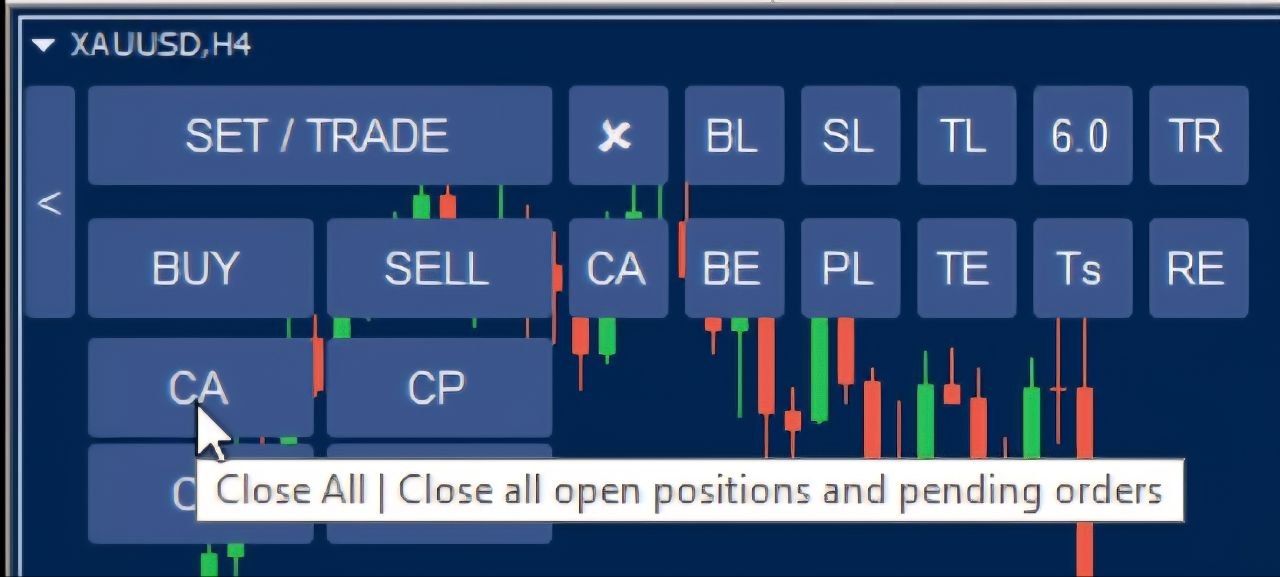
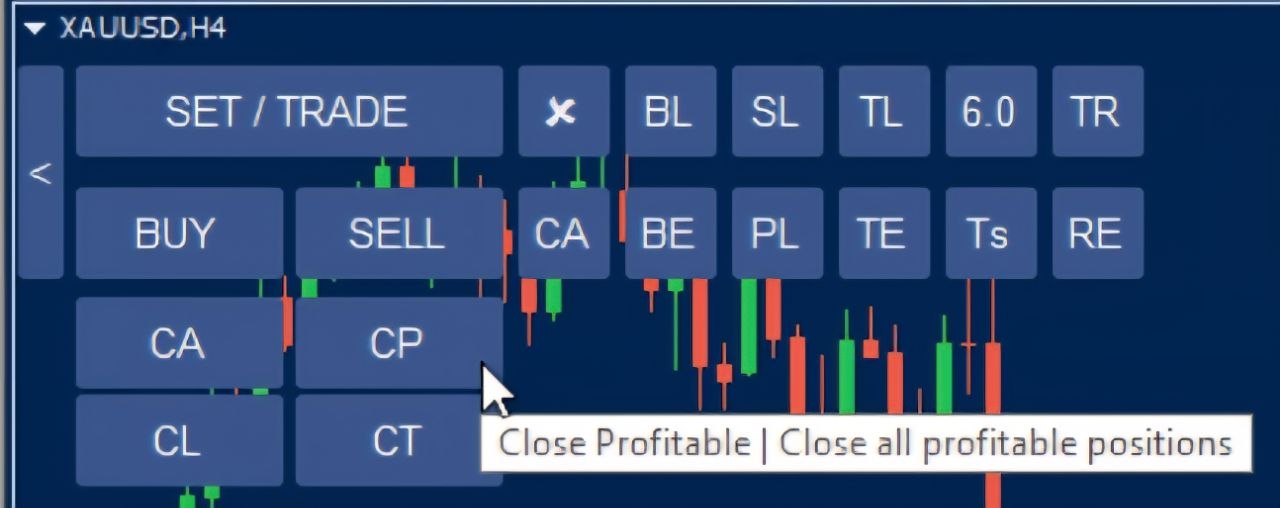
CP (Close Profitable Positions) Sub-Panel Control
The brand new Close Profitable positions module allows algorithmic and manual traders to instantly lock in gains by closing all open orders currently running in a net profit condition with a single click of a button, while leaving all underwater or losing positions completely untouched for future recovery management. This gives you full control to bank your winners without disturbing the trades you’re still managing.
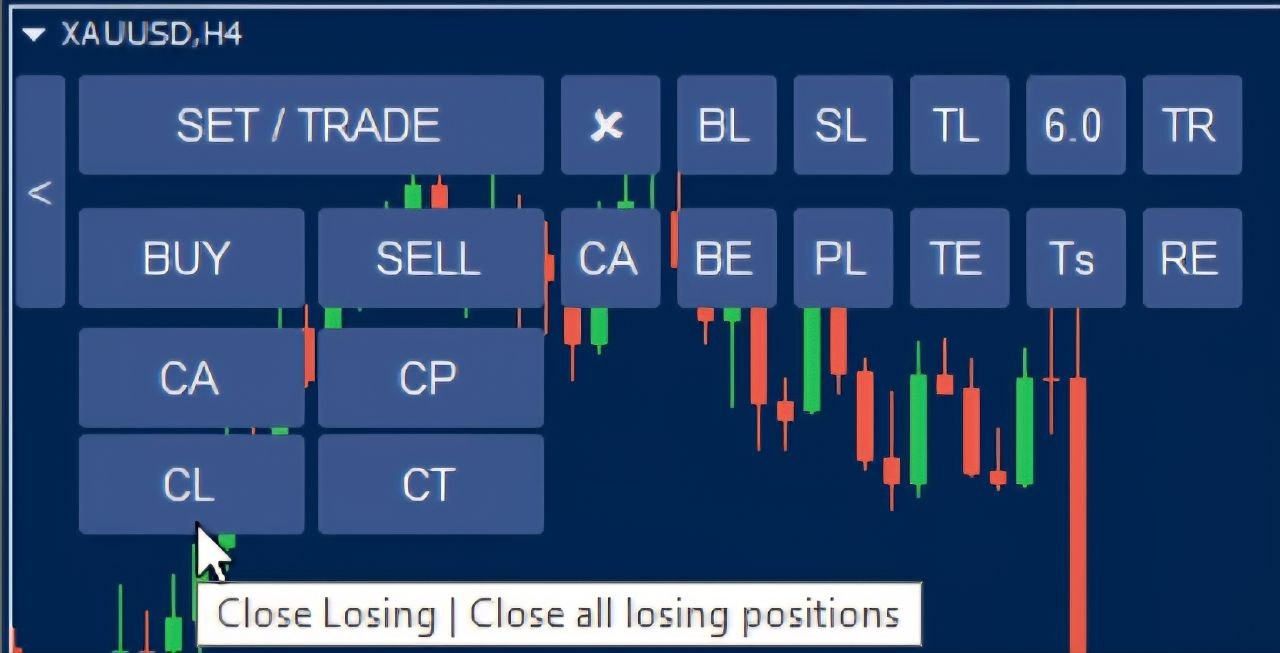
CL (Close Losing Positions) Sub-Panel Control
Quickly reduce market exposure and mitigate unexpected drawdowns during high-volatility news events by instantly terminating all open positions currently running in a loss with one simple command execution directly from your interactive MetaTrader chart panel interface. It’s a fast, deliberate way to cut risk the moment conditions turn against you.
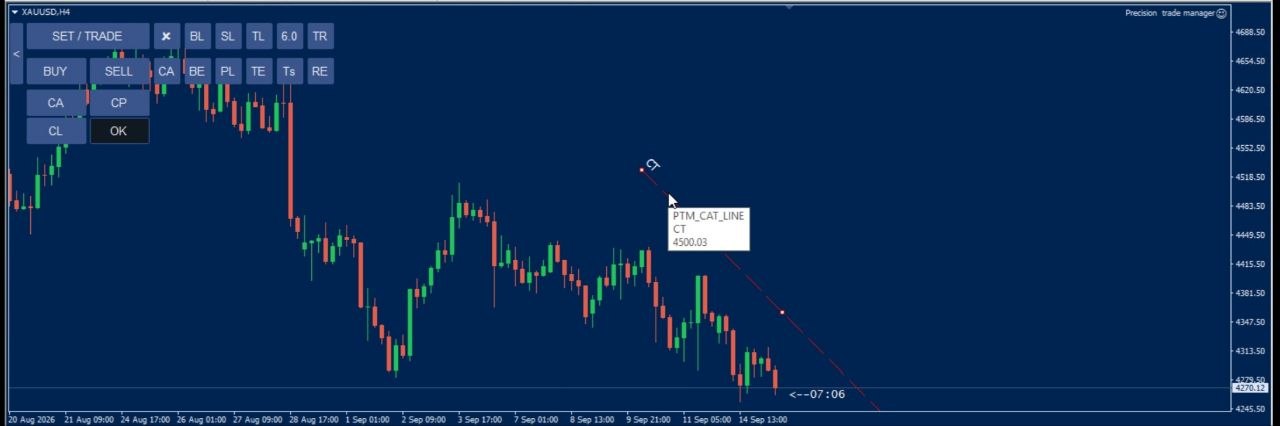
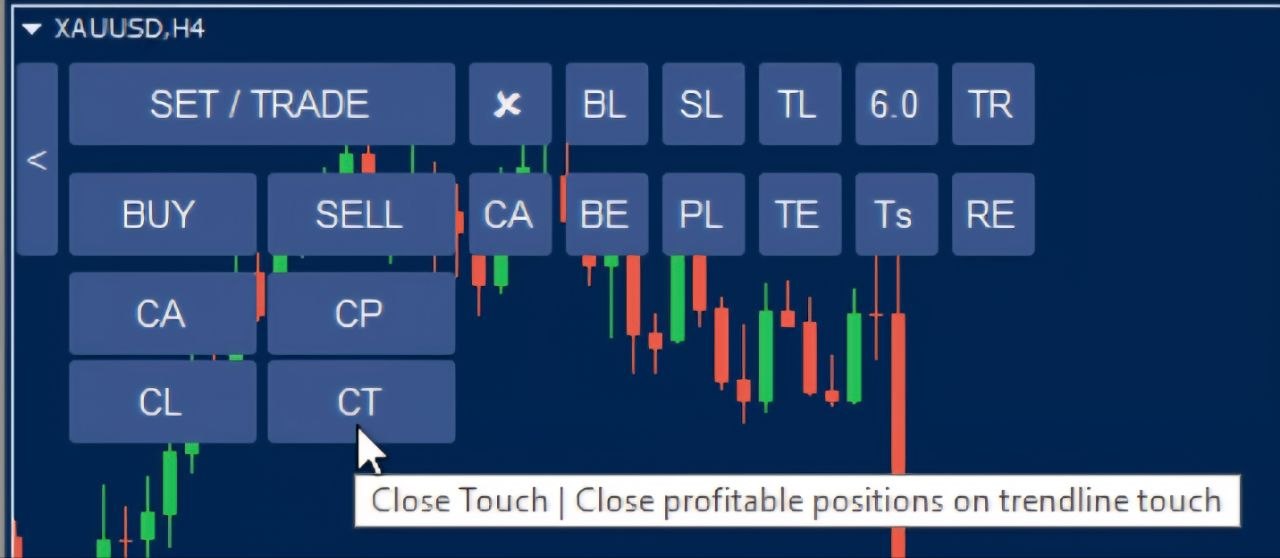
CT Custom Trendline Profit Protection
Renders an advanced custom slope-adjustable trendline directly on your trading workspace equipped with a convenient ‘OK’ deselect button, automatically closing active trades safely upon immediate price contact to protect hard-earned trading capital. It’s a dynamic, chart-based way to defend profits as the market structure evolves.
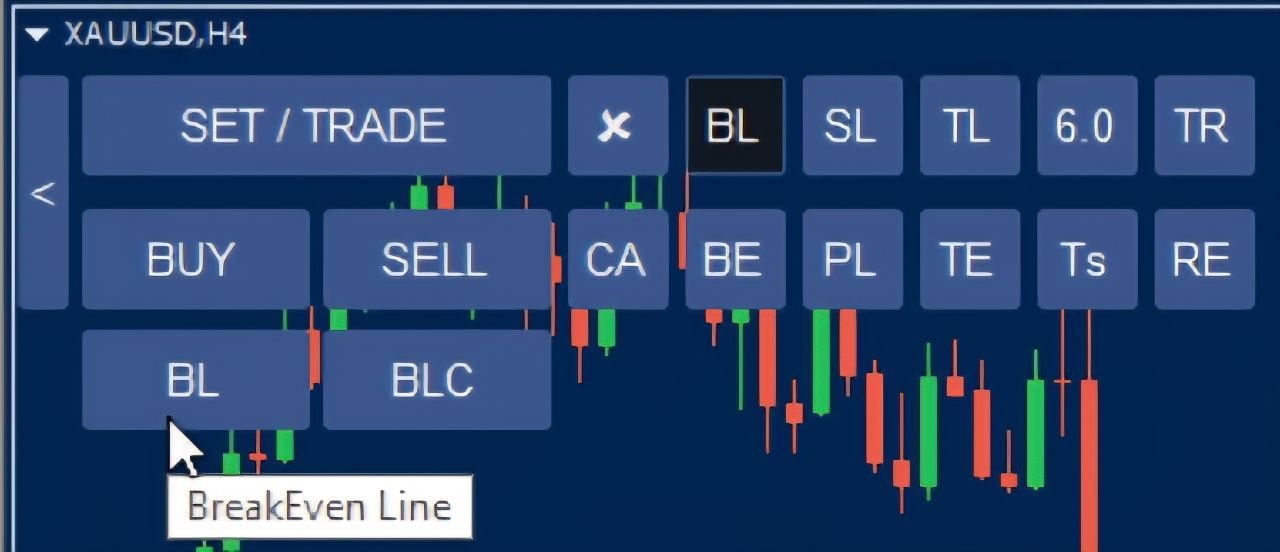
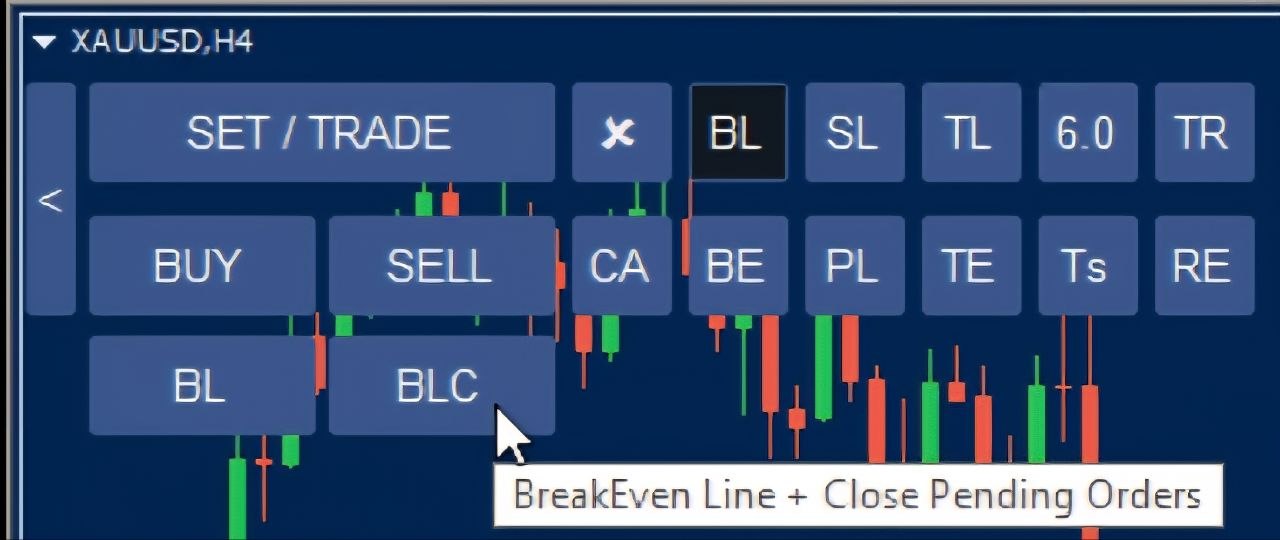
BLC Break-Even Pending Order Cleaner
Designed to optimize automated risk routines, the Break-Even Pending Order Cleaner intelligently sweeps and cancels all active limit or stop pending orders as soon as the live market price reaches your designated break-even threshold line. This keeps your order book clean and prevents outdated pending orders from triggering unexpectedly.
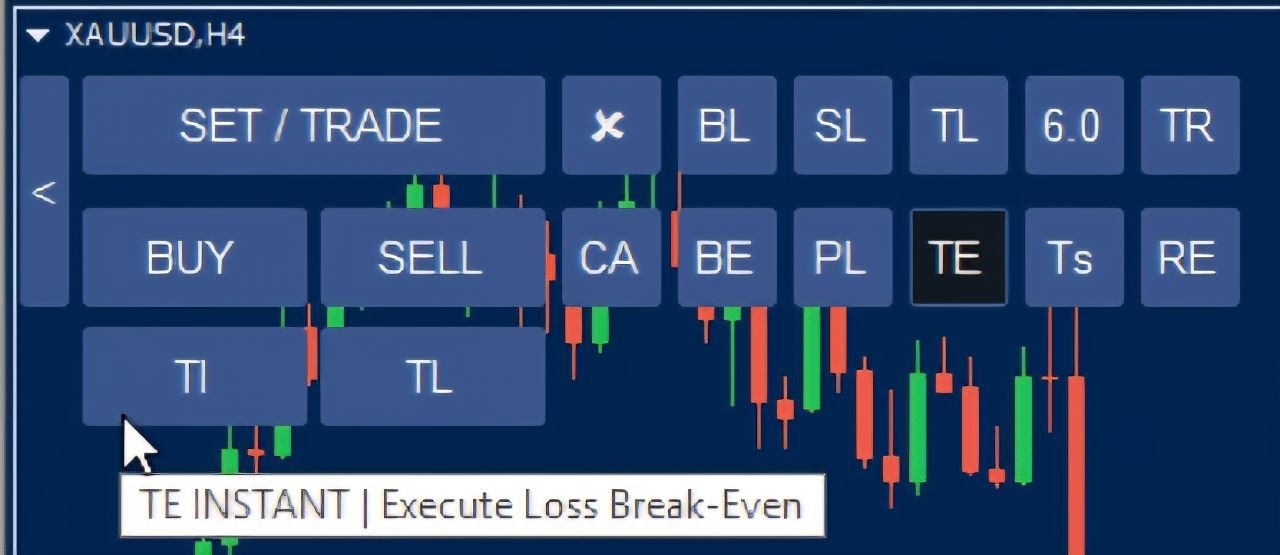
TI Instant Loss Target Break-Even
Instantly recalculates and relocates your Take Profit targets to true break-even levels for struggling positions, accurately accounting for accumulated broker commissions, financing fees, and swap costs. No more manual math — the tool handles the exact break-even price for you in real time.
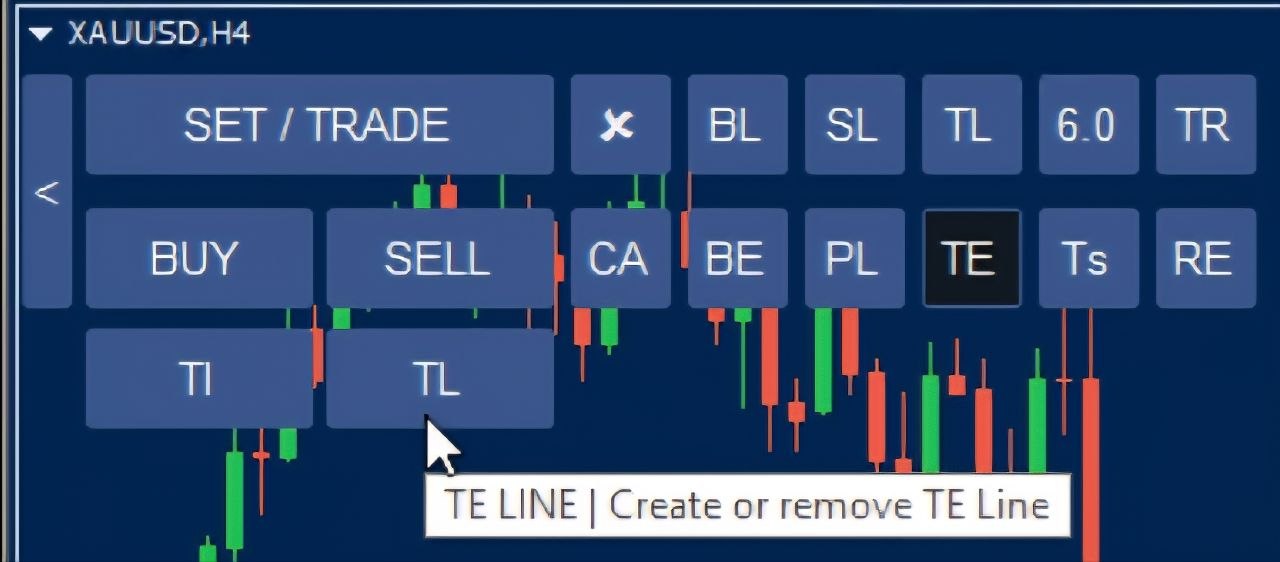
TL Custom Target Line for Loss Break-Even
When your BETE trendline triggers on a losing position, the standard loss break-even level factors in swap and commission costs — a price the market may never actually revisit before your stop loss is hit. The TL button solves this by giving you an adjustable horizontal “TE Line” that you can position at a price level you believe is realistically achievable. If price then closes against your BETE trendline direction, instead of moving your take profits to the calculated loss break-even price, the EA transfers all open take profit targets directly to your custom TE Line instead — giving you a more realistic exit than a break-even level the market might never reach.
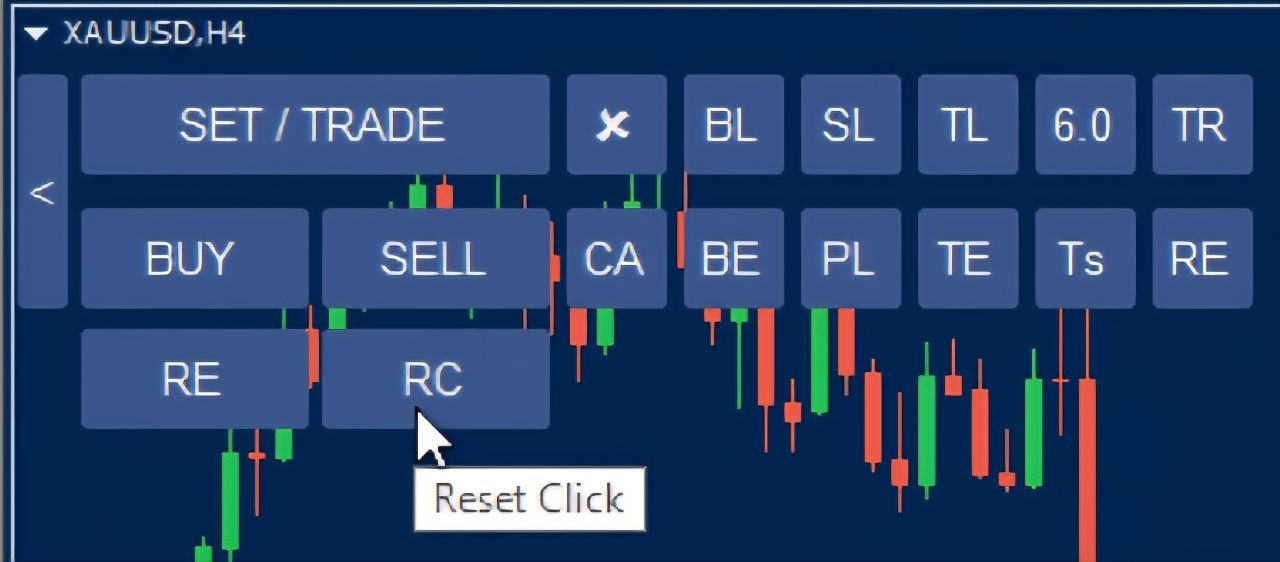
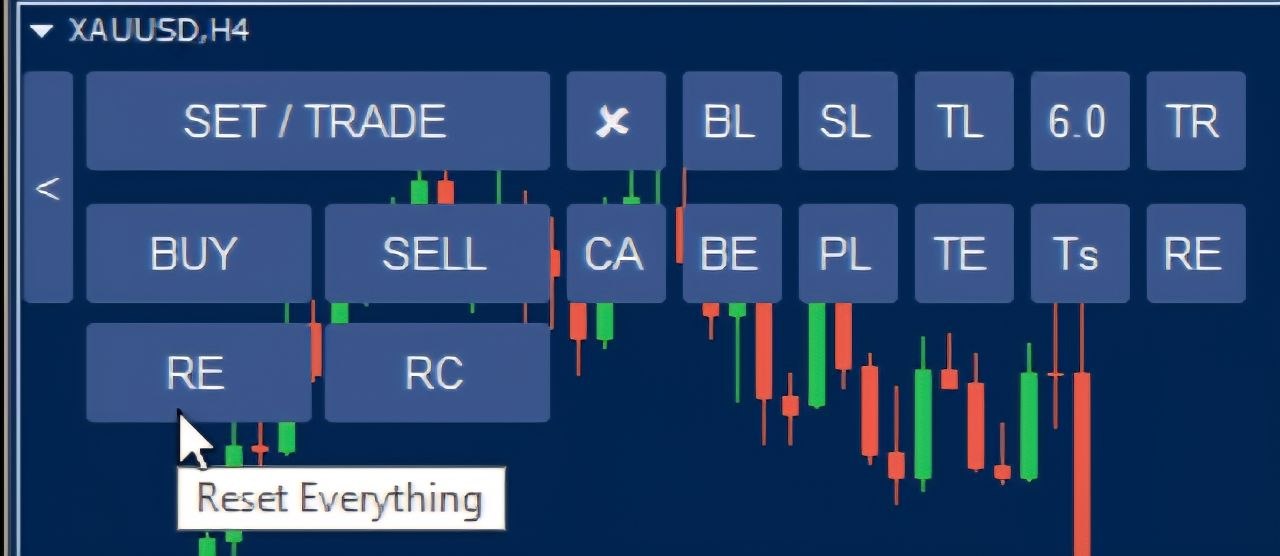
Reset Click: Step-by-Step Undo Control
Unlike the previous Reset button which wiped every chart line and setting at once, the new Reset Click feature lets you undo your actions one click at a time, in reverse order, from the most recent back to the first — so an accidental click or two no longer forces you to redraw all your chart lines from scratch.
New Feature Screenshots & Panels Gallery
Together, these Precision Trade Manager EA new features give both discretionary and systematic traders a more complete, flexible toolkit for managing open positions, protecting profits, and reacting quickly to changing market conditions. Whether you’re closing winning trades in one click, cleaning up stale pending orders, or safely undoing an accidental click with the new Reset Click control, every module was built to reduce manual work and cut down on costly mistakes. We’ll keep refining and expanding the panel based on trader feedback, so check back regularly for the next round of updates.
PRECISION TRADE MANAGER EA™ – RECENT UPDATE FEATURES